


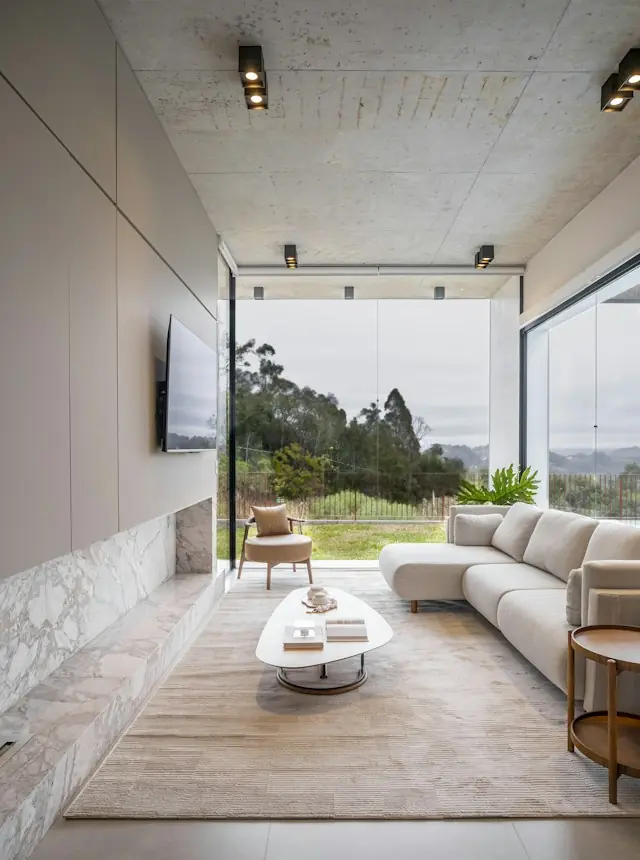


Self-initiated concept
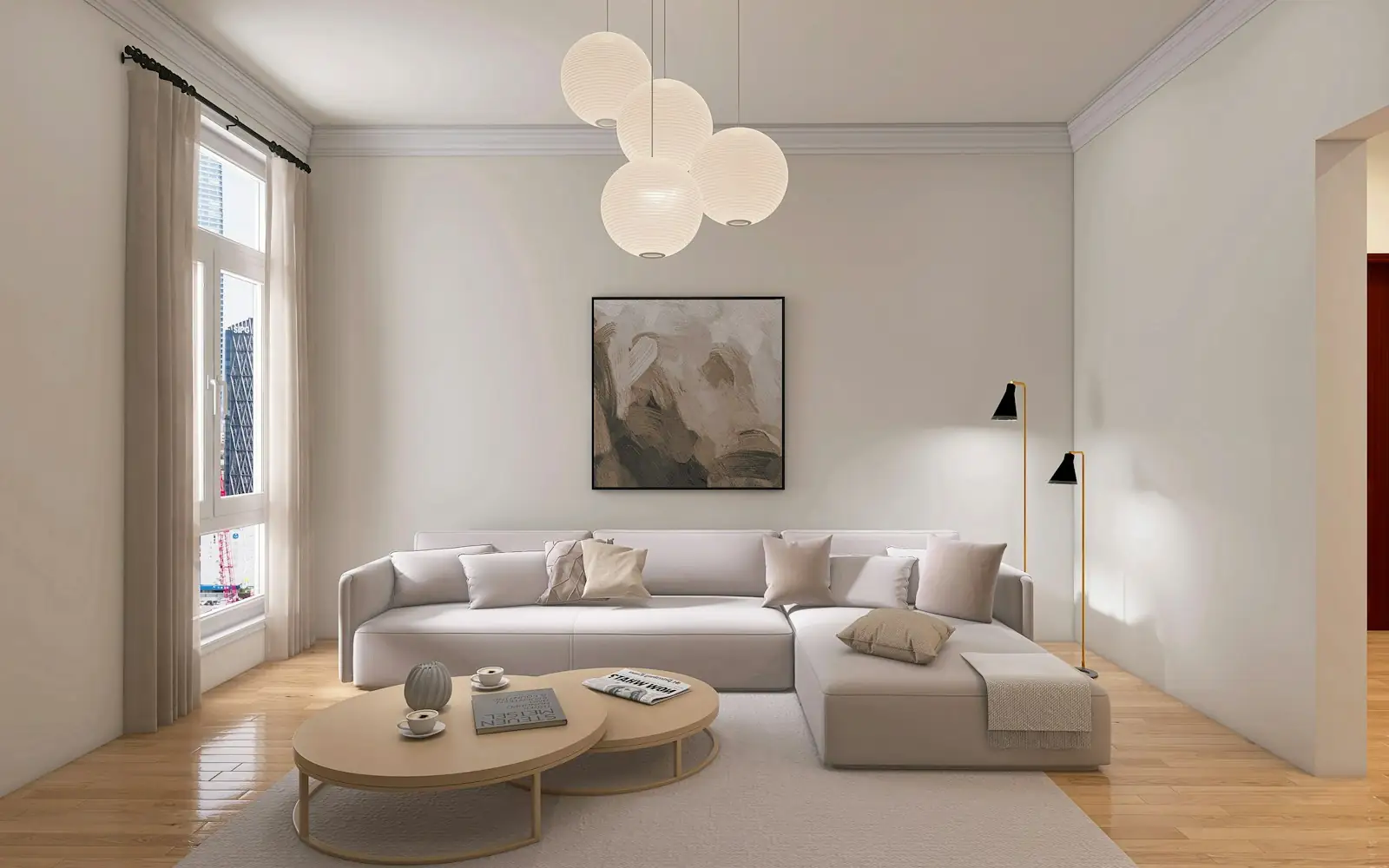
Architecture & Interior Website
An image-led website for showcasing projects, presenting services, and helping prospective clients get in touch.
Independent design & development
Websites that showcase your business. Custom web apps that simplify your work.
From business websites to custom web apps, GOYSTUDIO helps you present your offer, simplify everyday work, and bring new ideas to life.
01 · Selected work
Explore website and product concepts shaped around different business needs.
A selection of independent design concepts and products currently in development. The concepts are self-initiated, not client work.
Self-initiated concept
An image-led website for showcasing projects, presenting services, and helping prospective clients get in touch.
Own product · In development
An independently developed product for recording outdoor activities and reviewing the journey.
Self-initiated concept
A mobile-first shopping experience that connects product discovery, product details, and a clear path to checkout.
Self-initiated concept
A shared workspace for tracking orders, assigning work, and spotting delays before they disrupt the day.
Own product · In development
An independently developed platform exploring event discovery, rider participation, and live event tracking.
02 · Services
For when customers struggle to understand what you offer, or your catalogue and quote requests still live in chat threads.
Core deliverables
Typical uses
Company profiles, product launches, supplier catalogues with quote requests.
Discuss a websiteFor operations that still run across spreadsheets, or a product idea you want to test with one flow that actually works.
Core deliverables
Features, integrations, security needs and who will run it are agreed during scoping.
Typical uses
Operations dashboards, customer portals, booking flows, quote workflows.
Discuss a web applicationFor products that confuse their users, or developer teams that need designs ready to build.
Core deliverables
Typical uses
Untangling approval or checkout flows, designing a new feature before development.
Discuss product design03 · Interactive demos
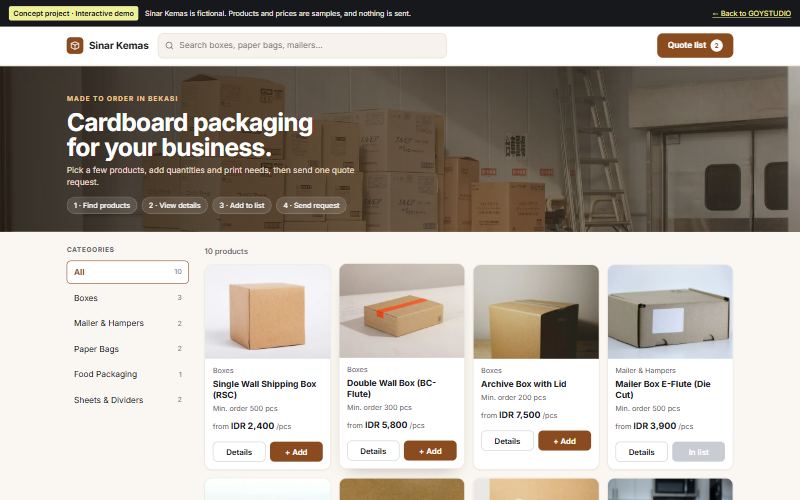
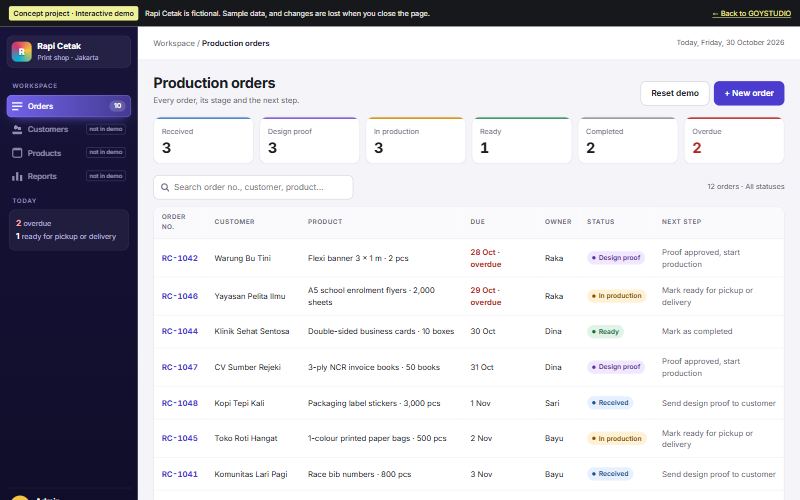
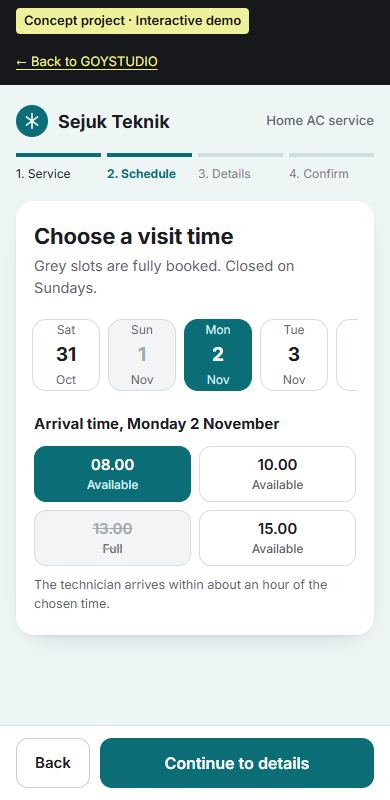
Explore three interactive prototypes: a supplier catalogue, an order dashboard, and a booking flow. These demos use sample data and do not submit real requests.
Concept project · Interactive demo
Browse packaging products and request one quote for several items. Sample store: Sinar Kemas.
Search → product detail → add to list → send request
Open demo: Supplier Catalogue & Quote RequestsConcept project · Interactive demo
Follow print orders from proof to pickup, with one next step per stage. Sample business: Rapi Cetak.
Filter → open order → move stage → add order
Open demo: Production Order DashboardConcept project · Interactive demo
Book a home AC service on your phone: service, time slot, details, confirm. Sample business: Sejuk Teknik.
Service → time slot → details → confirm
Open demo: Service Booking Experience04 · Process
Timing depends on scope and is written into the scope document. Revisions beyond the agreed rounds, or changes in scope, are discussed as additions.
You walk me through your goals, your users and how the work happens today. The result is a written scope: deliverables, what is in and out, cost, schedule and revision rounds.
Review point You approve the scope before work starts.
Page structure or app flows, wireframes, then a clickable prototype.
Review point You try the prototype and give feedback before visual design is final.
Visual design and development, shared through preview links as it progresses.
Review point Staged previews on the schedule in the scope.
Testing on phones and desktop, fixes, then handover of access and documentation. Ongoing support is agreed separately.
Review point You check and accept the final result.
05 · About
GOYSTUDIO is my independent studio. I’m Yoga, a lead UI/UX designer combining product thinking, interface design, and hands-on development. It is not an agency: you brief me, and I design and build it.
Career background on my personal portfolio (opens in a new tab)Start from your goals and the way work happens today, not from how a screen should look.
Flows are shaped around the people who use them every day: buyers, admins, customers.
Design decisions account for how they will be built, so what you approve in the prototype is what ships.
AI tools help with drafts, early research and checks. Design decisions and the quality of the result stay with me.
06 · Pricing
Project costs depend on the pages, workflows, integrations, and content involved. Let’s discuss what you need and define a practical starting point.
How many pages, screens and flows need to be designed and built.
Logins, payments, notifications, or connections to systems you already use.
Whether copy, photos and product data are ready, or still need to be prepared.
Domains, hosting and other third-party services are quoted separately, and the accounts should be in your name.
07 · FAQ
Yes. Describe the problem and what you want to achieve in your own words. The first conversation is turned into a written summary that works as the brief.
Yes: fix what is there, redesign parts of it, or build from existing designs. It gets reviewed first, because not everything needs to be rebuilt.
From the number of pages or flows, the integrations, and how ready the content is. You get a written cost and schedule before work begins.
Ideally you, since you know the business best. Content structure and direction are included. Copywriting, photography or illustration can be added to the scope if agreed.
Ownership of source code and assets is written into the project agreement before work starts. Domain and hosting accounts should be in your name from day one, so you never depend on someone else for access.
It can be arranged. The form and length of support, such as a bug-fix period or ongoing maintenance, is agreed upfront so it is clear what is included.
08 · Contact
Tell me about your business, your idea, or the process you want to improve. You don’t need a finished brief to start.
WhatsApp opens with a short message you can edit before sending.
Prefer email? Write to yogarya2305@gmail.com